
If you’re thinking about upgrading to CapCut Pro, one of the first questions that probably comes to mind is: How much does CapCut Pro cost, and is it really worth paying for?
CapCut Pro’s price has changed, so we need to check the current cost to see if it’s worth paying for. In this guide, we’ll break down everything you need to know about CapCut Pro pricing
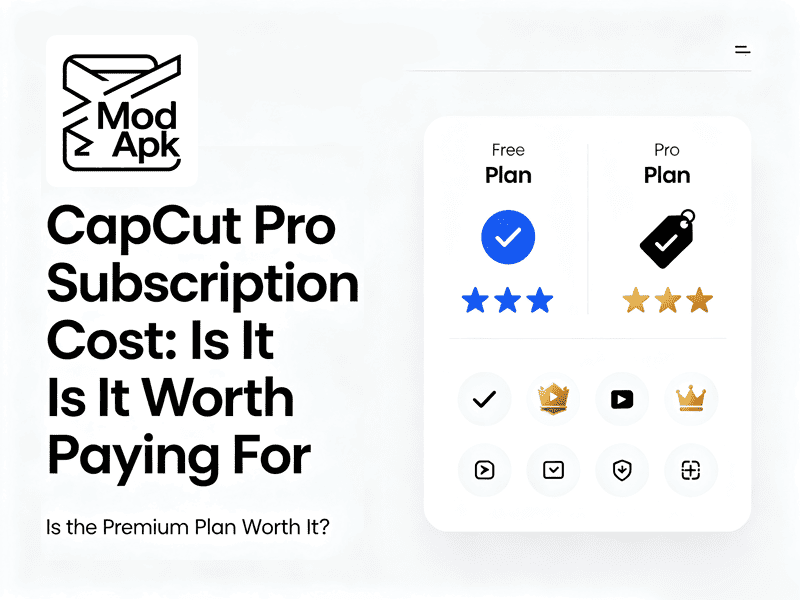
The Real CapCut Pro Price Right Now
ByteDance restructured CapCut’s pricing in late 2025 / early 2026. Old blog posts showing “$9.99/mo for Pro” are outdated.
The biggest change happened in mid-February 2026, when the yearly price for the Pro subscription rose from about $77 to $179.99. As part of this update, the company divided its premium service into two different levels: Here’s the current breakdown:
Global Pricing
via capcut.com – cheapest way
- Standard Plan: Checkout-specific, maybe 9.99/mo. Mobile-only, 1080p max, but it lacks 4K export and advanced AI tools.
- Pro Plan: 19.99/mo or 179.99/yr. This improved plan offers 1 TB of online storage, plenty of AI credits, and high-quality professional tools. 4K, desktop + mobile, full AI suite.
App Store / Google Play Pricing
Usually 20–30% more expensive. Apple and Google take a cut, so buying directly from CapCut’s website saves you money.
Buying a Pro subscription through the Apple App Store may cost between $13.99 and $19.99 each month.
CapCut Pro Price in India
This is where it gets interesting. Because CapCut isn’t officially distributed in India due to the ongoing ban situation, pricing varies wildly depending on how you access it:
- Local App Store (Indian account): roughly ₹833/mo or ₹5,600/yr, ~$64/yr
- Via VPN + foreign store: some users report seeing as low as ₹399/mo (~$4.80) using a Philippines or US storefront—but this violates the terms of service.
- Bottom line for Indian users: If you live in India and want a clean, stable experience, the ₹5,600/yr annual plan is the safest bet. Avoid random sellers offering “lifetime” invites—they’re scams.
Heads-up: The old “7.99/mo” or “74.99/yr” prices you might find in older articles were promotional web-only deals that expired in 2024. Don’t chase ghosts.
Is the CapCut Premium price subscription worth Buying
You should first learn how these subscriptions are different.
| Feature | Free | Standard | Pro |
| Max export resolution | 1080p | 1080p | 4K + HDR |
| Platforms | Mobile + Web | Mobile only | Mobile + Desktop + Web |
| Watermark | None (unless using Pro templates) | None | None |
| Auto-captions | ~10 minutes total | Unlimited | Unlimited |
| AI credits (text-to-video, avatars, voice clone) | Very limited | Moderate (~50/mo) | Generous (~200/mo) |
| Cloud storage | 0 GB (removed) | 0 GB | 100 GB |
| Commercial license | Full | Full | Full |
| Premium templates & effects | Locked | Unlocked | Unlocked |
Key insight: The biggest difference between Free and Standard is unlimited auto-captions and premium templates. The biggest jump from Standard to Pro is 4K export, desktop editing, and cloud sync.
So… Should You Pay for CapCut Pro?
Do you really need a subscription
Ask yourself these three questions:
- Do you post fewer than 5 short videos per month?
If yes, stay on Free. Seriously. CapCut Free is incredibly generous— 1080p export, decent AI features. You won’t hit a wall until you start publishing weekly.
- Do you need 4K for YouTube or client work?
If you’re uploading to Instagram Reels or TikTok, 1080p is perfectly fine—those platforms compress everything anyway. But if you deliver to YouTube, Vimeo, or paying clients, 4K is non-negotiable. That means Pro.
- Do you edit on both phone and computer?
This is the hidden reason most people upgrade. CapCut Free only works on mobile and web. If you want to start a project on your phone and finish on your laptop with cloud sync, you need Pro. The Standard plan doesn’t include desktop apps.
If you really need CapCut Pro features but don’t want to pay the ever-increasing subscription fees, you can try an alternative: the CapCut Mod APK.
CapCut Mod APK comes with all features unlocked—free from ads or restrictions—and offers the full functionality expected of the Pro version.
Try it out before you decide to cancel your CapCut Pro subscription.
FAQ
Q: Did CapCut really remove free cloud storage?
A: Yes. As of August 2024, the old 10GB free cloud storage was eliminated.
Q: Is there a lifetime plan?
A: No. CapCut only offers monthly and annual subscriptions. Any third-party site claiming to sell a “lifetime license” is either selling a shared team seat. Stay away.
Q: CapCut Pro vs DaVinci Resolve—which is better?
A: They’re different tools for different jobs. DaVinci Resolve is unbeatable for color grading, audio mixing, and long-form video. But it has a steep learning curve and zero mobile support. CapCut Pro wins for speed, templates, mobile editing, and AI features.
Q: Can I use CapCut Free for commercial YouTube videos?
A: Yes, with limits. Free allows monetization of your own content.
Prices may vany due to promotions. Please check the official website for the latest pricing.