

Creators around the world often wonder whether TikTok owns CapCut — especially because the two apps are closely linked in the short-form video ecosystem. The simple answer is: CapCut is not owned by TikTok itself, but both apps share the same corporate parent, and their tools integrate deeply. This has shaped how millions of users edit and post videos online.
Is CapCut Owned by ByteDance?
Yes, CapCut is 100% owned and operated by ByteDance. This is an official fact confirmed by the company’s corporate structure and product development history. The confusion between TikTok and CapCut ownership stems from their shared parentage, but the two are distinct products with separate core functions.
- In-House Development: ByteDance’s product and engineering teams built CapCut directly and first launched it in April 2020 under its original name Viamaker, before rebranding it to CapCut. ByteDance has never acquired CapCut from any third party, and the platform remains a key product in ByteDance’s creative tools division.
- Separate but Synergistic: TikTok is a global social media and short-form video platform, while CapCut is a dedicated video editing tool designed to support TikTok’s creator ecosystem. Both operate independently but share deep technical integration to streamline content creation.
- Global Corporate Structure: ByteDance oversees CapCut’s global operations through regional subsidiaries, just as it does for TikTok. ByteDance fully controls all intellectual property, technology, and development plans for CapCut.
CapCut and TikTok Integration: How They Work Together
Even though CapCut is a separate app, it integrates tightly with TikTok in several ways:
Direct Linking and Sharing
You can connect your TikTok account to CapCut on mobile. Once linked:
- You can publish videos directly from CapCut to TikTok with one tap.
- Trending TikTok templates and sounds appear inside CapCut.
- Drafts can sync between the two apps (mobile only; desktop doesn’t support this).
This makes it easy for creators to go straight from editing to posting without juggling files manually.
TikTok-Style Templates
CapCut often updates its built-in templates to match TikTok trends. You may even see “Use this template” buttons on TikTok videos that launch CapCut with preset style edits ready for your clips.
Does CapCut Have Ads?
A major perk of CapCut’s ByteDance ownership is the capcut no ads experience, which is a default feature for all official versions (Android, iOS, PC, web) in 2026—no subscription, no hidden fees, and no workarounds required. This sets CapCut apart from most free video editing apps that rely on ads for monetization.
- All Platforms, Zero Ads: The official CapCut app has no pop-up ads, banner ads, or pre-export ads on Android, iOS, PC, or the web version. App store listings and independent testing confirm this.
- Free & Pro Versions – Both Ad-Free: ByteDance monetizes CapCut’s Pro tier (for 4K 60fps export, advanced AI tools) with a subscription, but the free version remains fully ad-free. Even Pro subscribers get no additional ad benefits—because the app has no ads at all.
- International Version Perk: The global CapCut version requires no login to access the ad-free experience. You can download, open, and edit with zero ad interference, even without linking a ByteDance or TikTok account.
How to Use CapCut App in TikTok Workflows
ByteDance’s shared ownership of TikTok and CapCut means the two apps are built to work together flawlessly. Learning how to use capcut app in tiktok eliminates cumbersome file transfers and cuts your content creation time in half—all integration features are free, ad-free, and available to all users.
Method 1: Edit in CapCut, Export Directly to TikTok
This is the most popular workflow for creators—edit your video in CapCut and publish it to TikTok without saving it to your device first:
- Finish editing your video in CapCut (add effects, text, music, etc.).
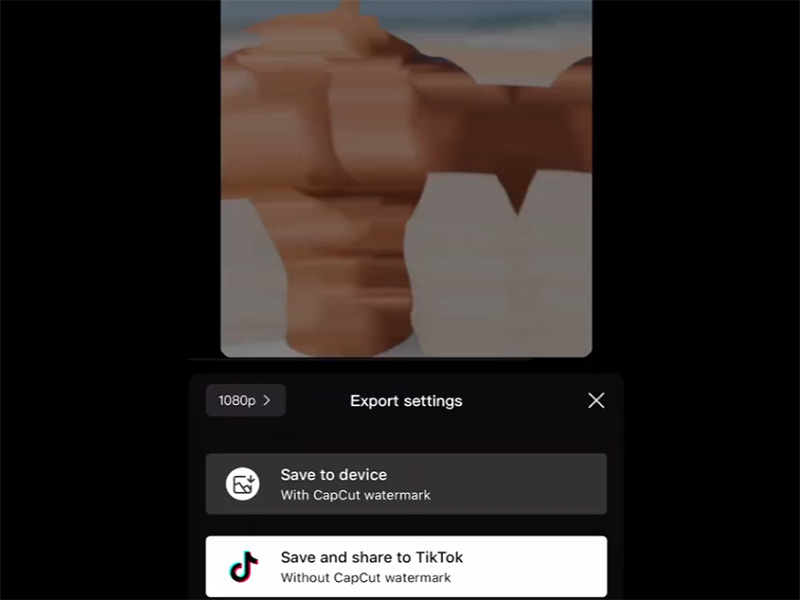
- Tap the Export button.
- In the sharing options, select the TikTok icon.
- If not signed in, CapCut will prompt you to log into your TikTok account.
- CapCut will auto-send the video to TikTok’s post editor, where you can add a caption, hashtags, and adjust privacy settings—then tap Post.
Method 2: Import TikTok Videos/Drafts to CapCut for Editing
Edit your existing TikTok footage or drafts in CapCut with its advanced tools:
- Open TikTok and go to your Profile → Drafts.
- Select the video you want to edit, tap the Share button, and choose Save to Device.
- Open CapCut, create a new project, and tap Import → select the TikTok video from your camera roll/gallery.
- Use CapCut’s full editing toolkit to polish the video, then export it back to TikTok (Method 1).
Pro Tip: For direct integration, link your TikTok account to CapCut in CapCut Settings → Account → Connect TikTok—this skips the save-to-device step for future edits.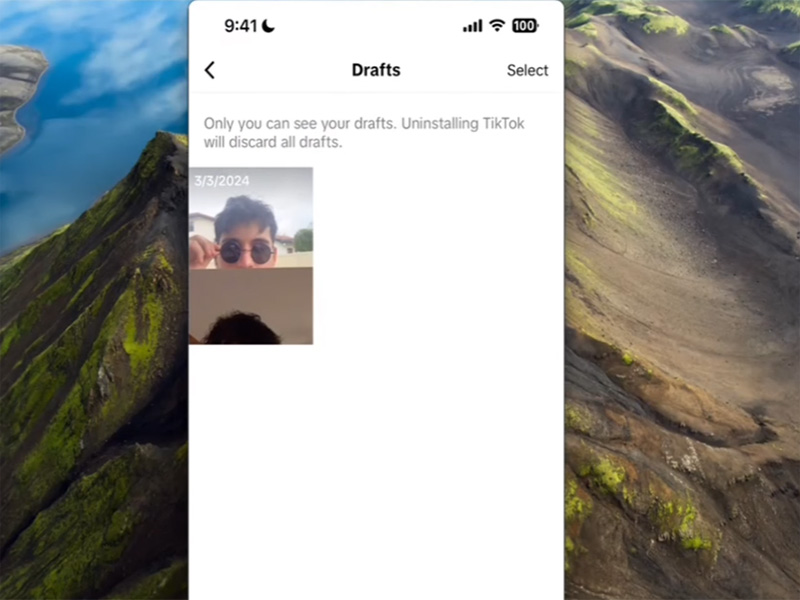
Method 3: Use TikTok’s Trending CapCut Templates
TikTok is the biggest source of trending CapCut templates—use these pre-made edits to create viral-worthy content in minutes:
- Open TikTok and search for CapCut templates.
- Select a template you want to use, tap the Use this template button.
- TikTok will auto-open CapCut and load the template—tap Add Media to insert your own photos/videos.
- Customize the template and tap Export.
- CapCut will give you the option to Share to TikTok directly—your templated video is ready to post.
Conclusion
- Is CapCut owned by TikTok? Not directly — but both apps are owned by the same parent company, ByteDance.
- ByteDance closely integrates CapCut and TikTok, especially on mobile, enabling creators to move smoothly from editing to posting.
- CapCut generally offers a capcut no ads editing experience compared with many content platforms, making it attractive for creators who want clean workflows.
- Learning how to use the CapCut app in TikTok content creation can boost productivity and creative output.


