
If you’ve read the review “CapCut Mod for Different Devices Reviews: Is It Worth Installing?“, you will see that CapCut seems to have subtle differences between mobile and CapCut desktop features.
Why is CapCut PC harder to use, even though it’s the same application? Is it just because computers are more powerful than phones? The answer is simple: they were built for different editing habits.
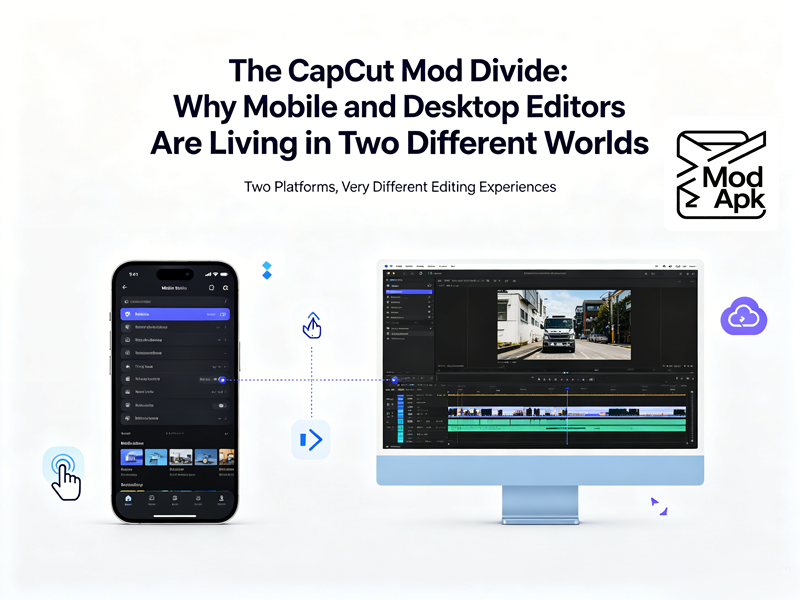
CapCut desktop vs mobile: Why So Different
CapCut began as a mobile-focused tool for TikTok. It was a free video editor without watermarks, built specifically for creators who edit on their phones.
Mobile creators started making longer videos for YouTube instead of just short clips for TikTok. They soon hit the limits of mobile editing, such as small screens and restricted features. In response, ByteDance created CapCut Desktop, a full editing suite for computers that offers a professional timeline and better controls.
Here’s the critical part: they didn’t just port the mobile app to a bigger screen.
CapCut on mobile is built for speed and quick templates, while the desktop version is designed for detailed, long-term editing. Although they both use AI and cloud sync, their basic designs are so different that it feels like using two completely separate apps.
The Rise of CapCut PC
Now, CapCut PC has become one of the fastest-growing editing tools for desktop users. When you launch it on Windows or macOS, you get:
- A proper multi-track timeline
- A visual graph tool for managing keyframes with smooth curve transitions.
- Color grading panel with wheels, curves, HSL controls, and LUT support
- Full export settings: resolution up to 4K, custom bitrate, H.264/H.265 codec selection, frame rate control, audio bitrate
- Keyboard shortcut ecosystem — J/K/L playback, blade cuts, snapping toggles, tool switching
- Drag-and-drop file management directly from your filesystem
- GPU acceleration that actually uses your dedicated graphics instead of burning your CPU alive
- Offline capability for core editing
It feels like a real editor. Not Premiere Pro — it’s still simpler, still template-friendly — but it’s unquestionably in a different weight class than the phone app.
Many creators who started on mobile eventually move to desktop because their content becomes more complicated.
The Modern Video Editing Workflow: It’s Not “Mobile vs. Desktop” — It’s Hybrid
The false framing everyone falls into is versus. In fact, you can use both. CapCut addresses this through CapCut Cloud, although significant storage space requires a Pro subscription. The intended loop is:
- Record and do a quick edit on your phone while you’re out. Cut out the quiet parts, pick your best clips, and add some background music to build the basic structure.
- Move the file to your computer for the professional touches. Use your desktop to fix the colors, mix the audio, add titles, and create smooth animations before exporting for YouTube.
- Send the final cut back to your phone if you need to make small changes or crops for TikTok and Instagram Stories.
In reality, the main problems are storage limits and syncing issues. Free cloud plans usually only offer 1GB to 5GB of space, which fills up almost immediately with 4K video files. Because of this, many people end up using USB-C cables or AirDrop instead—it’s not a fancy solution, but it’s reliable.
CapCut Desktop vs Mobile: The Biggest Differences
| Dimension | CapCut Mobile | CapCut Desktop |
| Core design logic | Touch-optimized, speed-first, template-native | Mouse/keyboard, precision-first, timeline-native |
| Best project length | < 90 seconds | 2 minutes → 30+ minutes viable |
| Timeline tracks | ~5–6 usable layers | Unlimited multi-track |
| Trimming precision | frustrating for frame-perfect | Mouse + zoom = frame-accurate, plus shortcuts |
| Color tools | Filters + basic sliders + LUT apply | Wheels, curves, HSL, scopes-lite, proper grading panel |
| Keyframes | Linear only, simplified | Graph editor, Bezier easing, per-property control |
| Export control | Presets | Custom res, bitrate, codec (H.264/H.265), fps, audio quality |
| Rendering speed | Device-dependent; overheats on long/high-res | GPU-accelerated; 3×–5× faster on even mid-range PCs |
| File management | Gallery-based; messy at scale | Drag-drop from folders; TB-scale drive access |
| Offline capability | Partial | Core timeline fully offline; AI features need net |
| Pro subscription pain | free tier more restricted, watermark anxiety | free tier already quite powerful |
| Portability | Maximum — edit literally anywhere | Zero — tied to a desk and a machine |
| Who it’s for | TikTok/Reels/Shorts creators, casual editors, “post it NOW” workflows | YouTubers, vloggers, small biz marketing, anyone doing structured/multi-track work |
Final Thoughts
CapCut versions vary based on how they are meant to be used, with the PC version providing more tools and options. If you don’t want to pay but get CapCut Premium features for free on your phone or computer, just download the CapCut Mod APK.
Personally, the best experience comes from combining both. Mobile is perfect for capturing ideas, while CapCut PC turns those ideas into polished videos.
Instead of asking which version is better, creators should ask a different question: Which version fits the way I create content?