

Adding music can completely transform your videos. Whether you’re creating TikTok edits, cinematic clips, or trending reels, learning how to add music to CapCut is one of the most important editing skills.
In this guide, we’ll explain how to add songs on both mobile and desktop, how to use capcut trending audio, nd even explore options like CapCut Mod APK and CapCut Mod Premium.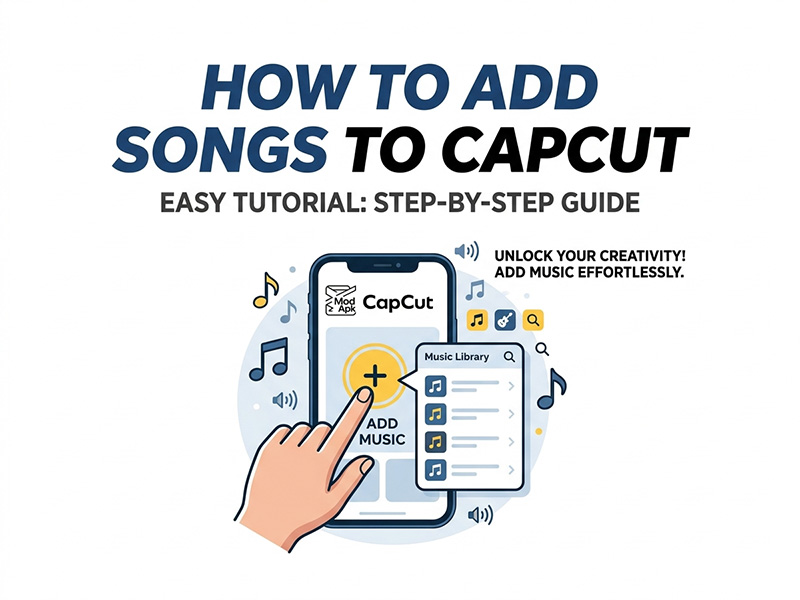
Why Music Matters in CapCut Videos
Music can completely change the mood of your video. A good soundtrack helps:
- Increase viewer retention
- Match transitions and effects
- Create emotional impact
- Make videos more viral on social media
Many creators use CapCut trending audio because trending sounds often boost reach on platforms like TikTok and Instagram.
How to Add Songs to CapCut on Mobile
Adding music to CapCut on your phone is straightforward, even for beginners. Follow these simple steps to add music to CapCut and elevate your videos:
- Open the CapCut app and tap “New Project” to import the video you want to edit.
- Once your video is in the timeline, tap the “Audio” button at the bottom of the screen.
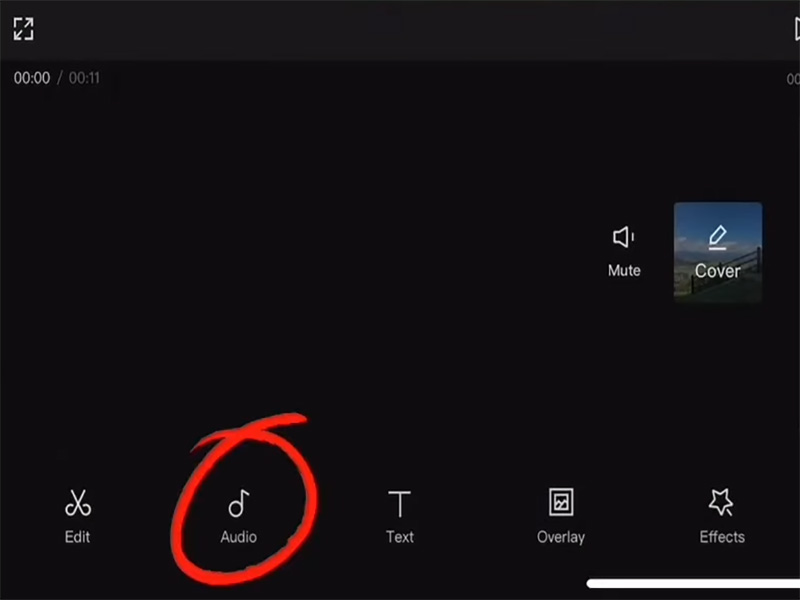
- Choose how you want to add music:
- CapCut Built-in Music Library: Tap “Sounds” to browse CapCut’s extensive collection of free, royalty-free music.
- Import Your Own Music: Tap “Files” to upload songs from your phone’s storage.
- CapCut Trending Audio: To use the latest viral sounds, tap “Trending” or search for popular audio clips in the search bar.
- Select the song you want, then tap the “+” icon to add it to your timeline.
- Fine-tune the audio: Use the “Volume” slider to adjust the music level and add fade-in/fade-out effects for a smoother transition.
- When you’re happy with your edit, tap the “Export” button in the top-right corner to save or share your video.
How to Add Songs to CapCut PC
Editing on a PC offers more screen space and precision, and adding songs to CapCut PC is just as easy as the mobile version. Here’s a step-by-step guide for how to add songs to CapCut PC:
- Download and install the CapCut desktop app from the official website. Launch the app and click “New Project” to start editing.
- Import your video by clicking the “Import” button or dragging and dropping the file into the CapCut window.
- Click the “Audio” tab in the left-hand menu. This will open CapCut’s audio options, similar to the mobile app.
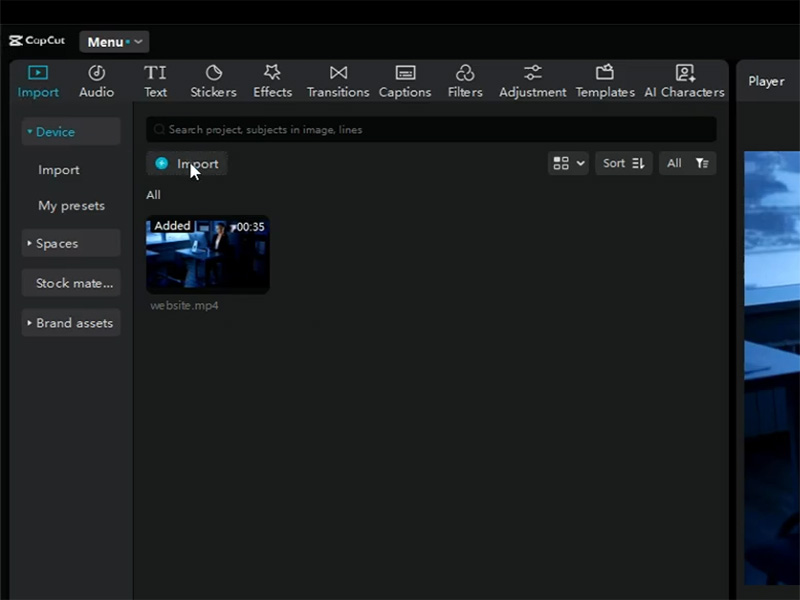
- Add music to your project:
- Built-in Library: Browse CapCut’s desktop music library by genre, mood, or popularity. Click on a song to preview it, then click “Add to Timeline” to include it in your edit.
- Import Custom Songs: Click “Upload” to select music files from your computer. CapCut PC supports most common audio formats, so you can easily add your own music collection.
- CapCut Trending Audio: Use the search bar to find the latest trending audio clips. Simply type in keywords like “viral audio” or “CapCut trending sounds” to access the most popular tracks.
- Adjust the audio: Drag the audio clip on the timeline to align it with your video. Use the trim tool to cut the song to the desired length, and use the volume slider to balance the audio levels.
- Once you’re done editing, click “Export” to save your video in your preferred format and resolution.
How to Find CapCut Trending Audio
CapCut trending audio is one of the best ways to make your videos go viral, as these sounds are already popular with viewers. Here’s how to find and use CapCut trending audio:
- CapCut’s Trending Section: On both mobile and PC, the “Trending” tab in the Audio menu highlights the most popular sounds of the week. These are often sounds that are viral on TikTok and other social media platforms.
- Search Bar: Type in keywords like “CapCut trending audio,” “viral sounds,” or specific song titles to find popular tracks. You can also search for audio by genre or mood.
- TikTok Integration: If you find a trending sound on TikTok, you can save it to your device and import it into CapCut. Many creators use this method to stay ahead of trends and ensure their videos are relevant.
Pro Tip: When using CapCut trending audio, try to align the music with your video’s visuals to create a cohesive, engaging experience.
CapCut Mod APK: What You Need to Know
While the official CapCut app is free and offers plenty of features, some users look for CapCut Mod APK or CapCut Mod Premium to unlock additional tools.
What is CapCut Mod APK?
CapCut Mod APK is a modified version of the official CapCut app, created by third parties. It claims to unlock premium features for free, including:
- Premium transitions
- Extra effects
- No ads
- Advanced filters
What is CapCut Mod Premium?
CapCut Mod Premium is an upgraded version of the mod APK, offering even more features.
- Exclusive templates
- Advanced AI effects
- Cloud storage
- Premium fonts
- High-quality exports
For casual editing, the free version is usually enough. But frequent creators may benefit from premium tools for faster workflows and better content quality.
Tips for Adding Music to CapCut Like a Pro
- Use Royalty-Free Music: To avoid copyright strikes, stick to CapCut’s built-in library of royalty-free music or import your own royalty-free tracks. This ensures your videos can be shared on social media without issues.
- Match Music to Your Video’s Mood: Choose music that aligns with the tone of your content. For example, use upbeat pop songs for tutorials or vlogs, and soft instrumentals for emotional or cinematic videos.
- Balance Audio Levels: Make sure your music doesn’t overpower your video’s voiceover, dialogue, or sound effects. Use CapCut’s volume slider to adjust levels and create a balanced mix.
- Trim and Split Audio: Don’t use an entire song if you only need a snippet. Trim the audio to fit your video’s length, and split it into sections to match different parts of your edit.
Final Thoughts
Learning how to add music to CapCut is one of the fastest ways to improve your video quality. Whether you’re editing on mobile or learning how to add songs to capcut pc, CapCut makes audio editing beginner-friendly and powerful.
Focus on syncing your clips with capcut trending audio, experiment with transitions, and your edits will instantly feel more professional.


