
You open CapCut, ready to edit, and suddenly templates won’t load. Or maybe the app isn’t even in your app store. If any of this sounds familiar, you’re dealing with CapCut region restrictions — and the fix is usually simpler than you think. Simply use CapCut VPN.
Below is the full playbook.
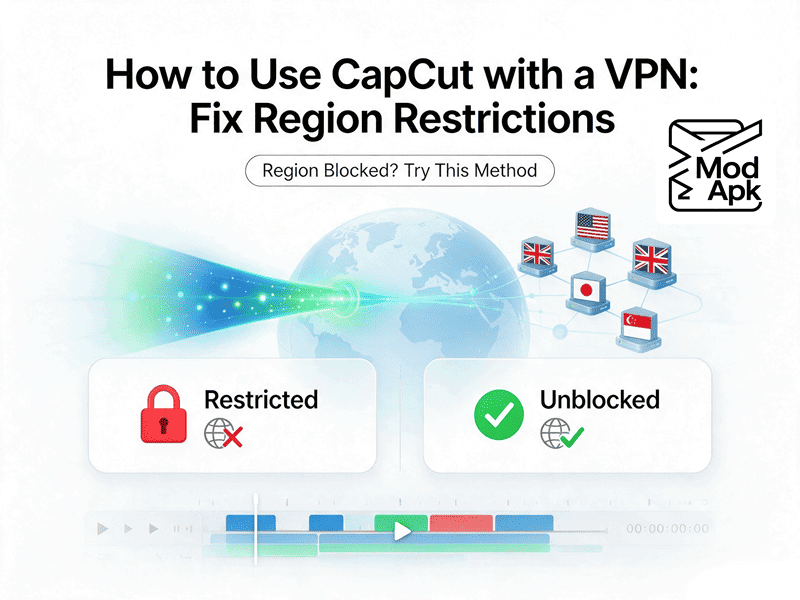
Why are there CapCut Region restrictions
The most common causes are:
- Your country has imposed a ban. For specific region restrictions, please refer to this guide: “CapCut Mod Availability by Country: Where You Can Download and Use It“
- CapCut serves different feature sets per region.
- Your app store region conflicts with your physical location.
- Cached region data is stuck on your device. CapCut remembers your last detected location.
- You’re running an outdated version.
Can a CapCut VPN Fix Region Restrictions
Yes, a VPN changes your internet connection so websites and apps think you’re connecting from another country.
How to set it up
- Choose a quality VPN.
- Download the VPN app on the same device where you use CapCut — mobile or desktop.
- Connect to a supported region. The US, UK, and Japan are the most commonly recommended starting points, as they tend to have the broadest feature availability.
- Clear CapCut’s cache while the VPN is active.
- Force-close CapCut
- Remove it from recent apps
- Stop background processes
- Open CapCut and test. Look for the templates, effects, or Pro features you couldn’t access before.
Why your VPN might not work immediately
Different servers provide different features. If one doesn’t work, try a different server in the same country or switch to another region. Since CapCut’s content varies by location, you might need to try a few options.
Connection speed is also important. Video editing apps need a strong connection to work well; otherwise, templates might lag or fail to load. For the best experience, choose a fast server near your target region and avoid crowded free servers.
Other Methods to Lift the CapCut ban
If the CapCut version in your store doesn’t include the feature you want, changing the store region may help. This is especially helpful when you are first downloading the app or trying to get new updates that aren’t available in your country yet.
- On iPhone: You’d need to switch your App Store region in Settings. However, be careful — this can cancel active iCloud+ subscriptions and reset Apple Pay.
- On Android: The Google Play Store region is tied to your payment profile. Changing it affects subscriptions and payment methods.
- On desktop: Simply visit capcut.com while connected to a VPN, and the installer downloads normally. This is the cleanest path for Windows and Mac users.
In many cases, a VPN plus a clean reinstall can be enough without needing to switch your store account.
How to Get CapCut Pro Download Latest Version
If you are in a place where CapCut is restricted, paying for CapCut Pro can be more difficult than actually getting the app. Because of this, you might want to use the CapCut Mod APK instead.
If capcutmoda.com is available in your area, you can download the CapCut Mod APK easily. This method is faster than using the official website.
After downloading, all the paid CapCut Pro features and effects are available for free. This makes it the best option for people who cannot access the standard CapCut app.
For detailed download instructions, please refer to this guide: “How To Download CapCut 5-2-0 In India“.
CapCut VPN Troubleshooting
| Symptom | Likely Cause | Fix |
| Templates won’t load | ISP or CDN blocking | Connect VPN, clear cache |
| “Network error, try again later” | CapCut server blocked by ISP | Connect VPN, retry |
| Effects/stickers not loading | Asset CDN blocked | VPN on → download effects → use offline |
| AI captions fail or spin forever | AI processing server blocked | VPN required for AI features |
| Login fails / “Sign in error” | Authentication server blocked | VPN on → login once → stay logged in |
| Export hangs at 0% or 100% | Cloud export endpoint blocked | Use local export (not cloud export) |
| App missing from store | Country-level ban or store region mismatch | Use VPN + capcut.com (desktop) or adjust store region |
FAQ
Q: Will using a VPN get my CapCut account banned?
A: There’s no evidence that CapCut bans accounts solely for VPN usage. However, if your apparent location changes rapidly and erratically, CapCut may ask you to verify your account or experience sync issues.
Q: Why do templates load slowly even with a VPN on?
A: Slow template loading is often caused by a poor server choice. Switch to a faster server, preferably one with lower load.
Q: Can I use CapCut Pro features offline?
A: Partially. Basic editing, trimming, effects you’ve already downloaded, and local exports work offline.
Final Thoughts
For users who cannot access CapCut normally, a VPN can be a practical solution. However, if you want a more convenient way to access CapCut Premium features, the CapCut Mod APK might be a better choice.
CapCut is a simple yet powerful video editor with features that other editors can’t match. You’ll know how to use it.