
As content creators, we often find ourselves working in environments without reliable internet—whether traveling, in remote locations, or during connectivity outages. Understanding the boundaries of CapCut offline mode and its offline features is essential for planning your workflow and avoiding frustrating limitations. In this guide, we’ll break down exactly what functions operate without Wi-Fi, which require capcut online access, how vpn for capcut may help in certain regions, and why capcut mod apk offers a more flexible offline editing experience with comprehensive capcut support for all features.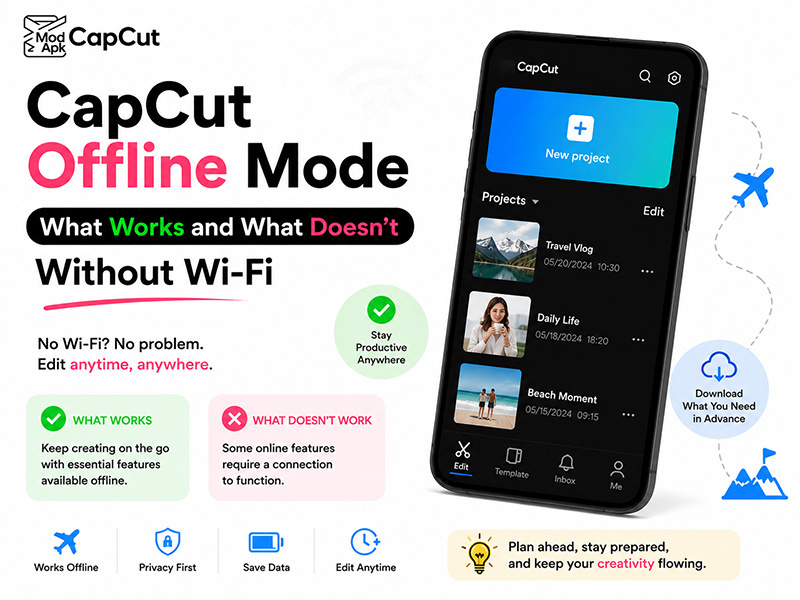
What Works in CapCut Offline Mode
CapCut’s core editing capabilities are designed to work locally on your device, meaning you can perform most essential tasks without an internet connection:
- Basic Timeline Editing: Trim, split, merge, and rearrange video clips freely. These fundamental tools are built directly into the app and require no server communication.
- Pre-Downloaded Assets: Use text styles, stickers, transitions, filters, and effects that you’ve already saved to your device before going offline.
- Audio Adjustments: Modify volume levels, apply fade in/out effects, and edit audio tracks you’ve imported locally.
- Speed & Direction Controls: Adjust playback speed, reverse clips, and create speed ramps using custom graphs.
- Local Project Management: Open, edit, and save projects stored on your device’s internal storage or SD card.
- Watermark-Free Export: Export finished videos in your preferred resolution directly to your device without needing an internet connection.
These offline features make CapCut a reliable tool for on-the-go editing, ensuring you can maintain your creative flow even when disconnected from the web.
What Doesn’t Work Without Wi-Fi
While core editing works offline, several advanced and cloud-dependent features require active internet access :
| Feature Category | Offline Availability | Reason |
| AI-Powered Tools | No | Auto-captions, background removal, AI upscaling, and avatar generation rely on cloud servers for processing |
| New Asset Downloads | No | Accessing CapCut’s library of trending music, sound effects, templates, and new fonts requires capcut online connectivity |
| Cloud Sync & Backup | No | Saving projects to CapCut’s cloud storage or syncing across devices needs an internet connection |
| Premium Template Access | Limited | Most official premium templates are locked without online authentication and subscription validation |
| Social Media Sharing | No | Direct sharing to TikTok, Instagram, YouTube, or other platforms requires internet |
| App Updates & Bug Fixes | No | Updating CapCut to the latest version or accessing capcut support for technical issues needs connectivity |
Additionally, some regional restrictions may require vpn for capcut to access certain online features, even when connected to the internet.
Challenges with Official CapCut Offline Mode
The official CapCut app has several limitations that can hinder seamless offline editing:
- Asset Lock-Out: Even if you’ve used premium assets before, the app may require re-authentication online to verify your subscription status, locking you out of previously accessible tools.
- Feature Restrictions: Advanced offline features like unlimited layers, high-resolution exports, and premium effects are often locked behind a paywall in the official version.
- VPN Dependency: In some regions, accessing CapCut’s full online library or capcut support requires using vpn for capcut, adding another layer of complexity.
- Constant Prompts: The official app frequently pushes cloud sync reminders and online feature advertisements, disrupting your offline workflow.
CapCut Mod APK: The Solution for Unrestricted Offline Editing
For creators who need consistent access to all features, capcut mod apk offers a reliable alternative with significant advantages :
Key Benefits of CapCut Mod APK for Offline Workflows
- Full Offline Feature Access: Unlike the official app, capcut mod apk unlocks every premium tool for offline use, including all AI features, advanced effects, and unlimited layers.
- Pre-Unlocked Premium Assets: Enjoy permanent access to CapCut’s entire library of music, templates, stickers, and effects without needing to download them beforehand or verify subscriptions.
- No VPN Required: capcut mod apk eliminates the need for vpn for capcut by bypassing regional restrictions and authentication checks.
- Ad-Free Experience: Focus on your edits without intrusive advertisements that often appear in the official offline mode.
- Enhanced Offline Stability: Modded versions typically offer improved performance with fewer crashes or export failures when working without internet.
- Comprehensive CapCut Support: Access dedicated community support forums for mod users, providing solutions for both online and offline issues beyond what official capcut support offers.
Expert Tips for Maximizing CapCut Offline Productivity
- Prep Before Going Offline: Whether using the official app or capcut mod apk, download all necessary assets while connected to Wi-Fi to ensure access later.
- Manage Local Storage: Keep your device storage organized. Store raw footage and project files on external drives when working offline to avoid running out of space.
- Use Mod Features Strategically: With capcut mod apk, take advantage of pre-unlocked AI tools that normally require capcut online access, like background removal and auto-captions, even without Wi-Fi.
- Sync Smartly: When you regain internet access, prioritize syncing finished projects to cloud storage first before exploring new online features.
Final Thoughts
CapCut’s offline mode provides solid functionality for basic editing tasks, but its limitations become apparent when you need advanced tools or premium assets without internet. While the official app requires capcut online access for many key features and may need vpn for capcut in some regions, capcut mod apk offers a more flexible solution with unrestricted access to all offline features and comprehensive support .
For creators who value uninterrupted workflow, regardless of connectivity, capcut mod apk is the ideal choice. It combines the intuitive interface of CapCut with the freedom to edit anytime, anywhere, without limitations or subscription fees.