
In recent years, video editing has become increasingly convenient. Many people now choose to use their mobile phones instead of desktop computers for video editing, and CapCut Pro has become a popular choice for users who want more advanced editing tools. This is why CapCut has become one of the most popular video editors among creators on platforms such as TikTok, YouTube Shorts, and Instagram Reels.
At the same time, Adobe Premiere Pro remains one of the top choices for filmmakers, YouTube users, marketing teams, and professional editors.
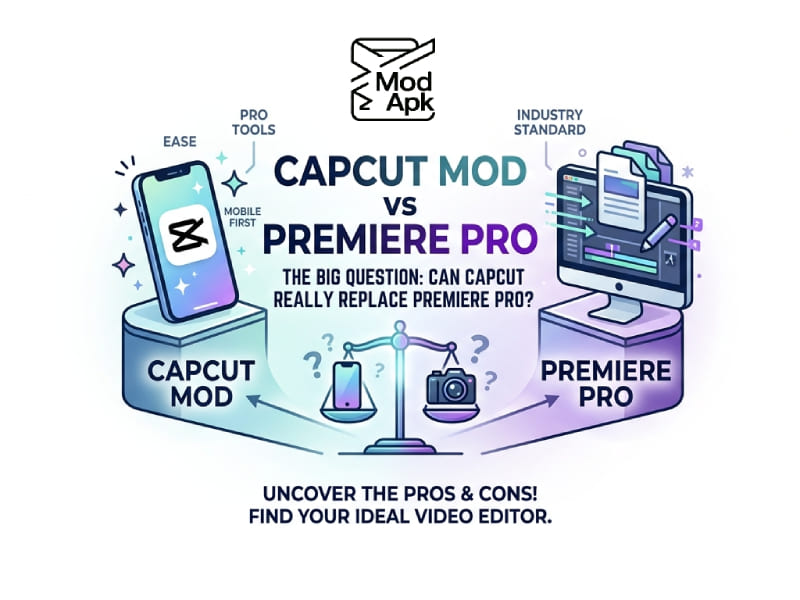
So, can CapCut Mod really replace Premiere Pro? The answer depends on the type of video you’re making and the level of control you need. In this guide, we will compare these two editors in detail to help you choose the one that best suits your workflow.
Quick Comparison
| Feature | CapCut Mod | Premiere Pro |
| Learning Curve | Very easy | Medium to difficult |
| Platform | Android, PC | Windows, macOS |
| Best For | Short videos and social media | Professional video production |
| Timeline Editing | Simple | Advanced |
| Multi-track Editing | Basic | Excellent |
| Color Grading | Basic | Professional |
| Audio Editing | Good | Advanced |
| Motion Graphics | Built-in templates | Full control |
| AI Tools | Many one-click tools | AI with manual editing |
| Export Options | Simple | Highly customizable |
What Makes CapCut Mod Popular
CapCut Mod is designed with speed in mind. Most editing tools are readily available, and many effects can be added with just a click.
For beginners, this means less time to learn and more time to create.
Some popular features include:
- AI auto captions
- AI background removal
- Auto cutout
- Smooth transitions
- Trending filters
- Text animations
- Beauty effects
- Large music library
- Ready-made templates
- One-click video enhancement
If your goal is to create short social media content, CapCut allows you to complete projects faster than using traditional editing software.
What Makes Premiere Pro Different
Premiere Pro is designed for creators who need complete control over every aspect of their video production, making adobe premiere pro a powerful choice for advanced editing, precise timelines, and professional-quality results.
Editors do not need to rely on templates; almost all content can be adjusted manually.
Professional users often choose Premiere Pro because it offers:
- Unlimited editing tracks
- Advanced keyframe animation
- Professional color correction
- Audio mixing tools
- Masking and tracking
- Proxy editing for large projects
- Team collaboration
- Support for many video formats
- Deep integration with other Adobe apps
Premiere Pro offers greater editing freedom for long-form videos, documentaries, films, and commercial projects.
User Interface
CapCut Mod
The interface is simple and clear, making it very user-friendly for beginners.
Most tools are presented as icons, and common operations (such as cutting, splitting, or adding text) can be completed with just a few clicks.
Even first-time video editors can easily get started in just a few minutes.
Premiere Pro
Premiere Pro looks much more complicated.
It has multiple panels for media, timeline, effects, audio, color grading, and export.
While it may take some time to get used to the location of each function, experienced editors will appreciate this high level of control.
Editing Speed
CapCut focuses on fast editing.
A template can generate a complete video in just minutes.
Adding subtitles, transitions, filters, and music is almost entirely automated.
Premiere Pro, on the other hand, requires more manual operation.
Although editing takes longer, users can precisely customize each frame.
If speed is your top priority, CapCut is undoubtedly the best choice.
Timeline Editing
Timeline editing is one of the biggest differences.
CapCut Mod
The timeline works well for:
- Travel videos
- Daily vlogs
- Product videos
- TikTok clips
- Reels
- YouTube Shorts
Managing a few video layers is simple.
Premiere Pro
Premiere Pro supports very complex timelines.
Editors can work with:
- Many video tracks
- Many audio tracks
- Nested sequences
- Multi-camera projects
- Adjustment layers
- Professional effects
For large projects, Premiere Pro is much easier to manage.
Effects and Templates
CapCut is famous for its huge collection of built-in effects.
Users can quickly add:
- Cinematic filters
- Glitch effects
- Slow motion
- Motion blur
- Text presets
- Trending transitions
Most special effects are designed to cater to social media trends.
Premiere Pro also supports effects, but users typically create custom effects rather than using templates.
This offers greater flexibility, but also places higher demands on editing skills.
AI Features
CapCut includes many AI tools that reduce editing time.
Popular AI features include:
- Auto captions
- AI voice generation
- Background removal
- Object cutout
- Video enhancement
- Face tracking
- Auto resize
- AI script tools
These tools can help creators produce content faster, requiring less manual intervention.
Premiere Pro also introduced AI features, but they are primarily intended to assist editors rather than replace manual editing, making the CapCut vs Premiere Pro which is better comparison depend on whether you value faster editing or more advanced creative control.
For creators who value automation, CapCut offers a smoother user experience.
Color Editing
Color editing is another key difference.
CapCut includes filters and simple sliders for adjusting brightness, contrast, saturation, highlights, and shadows.
This is sufficient for most social media videos.
Premiere Pro offers professional color grading capabilities through Lumetri Color.
Editors can fine-tune every part of an image, match clips from different cameras, and create a consistent visual style.
For professional production, Premiere Pro is a more powerful option.
Audio Editing
Good audio makes videos more enjoyable.
CapCut provides useful tools like:
- Noise reduction
- Voice effects
- Music library
- Fade in/out
- Volume adjustment
Premiere Pro includes advanced audio editing with detailed controls for dialogue, music, sound effects, mixing, and repair.
If your project depends heavily on sound quality, Premiere Pro provides much greater flexibility.
Performance
CapCut is optimized for fast editing.
Even on devices with average specifications, it can quickly open and smoothly handle short projects.
Premiere Pro uses more system resources because it is designed for high-resolution video, long lines, and advanced effects.
For short videos, CapCut is usually faster.
For large-scale production projects, Premiere Pro is designed to handle heavier workloads.
Export Options
CapCut makes exporting simple.
Users simply need to select the resolution and frame rate, and then export the video with a few clicks.
Premiere Pro offers more export settings.
Editors can adjust:
- Video codec
- Bitrate
- Audio format
- File size
- Color settings
- Delivery presets
This level of control is useful when videos need to meet different platform or production requirements.
Which Editor Is Better for Different Creators
Choose CapCut Mod if you:
- Mainly create TikTok videos
- Upload Instagram Reels
- Make YouTube Shorts
- Want fast editing
- Prefer simple tools
- Like ready-made templates
- Use AI features often
Choose Premiere Pro if you:
- Edit long YouTube videos
- Produce films or documentaries
- Work with multiple cameras
- Need detailed color grading
- Create commercial projects
- Want complete editing control
- Handle large editing projects regularly
Can CapCut Really Replace Premiere Pro
For many amateur creators, the answer is yes.
If your videos are primarily short videos for social media, CapCut can meet almost all your needs. Its AI tools, templates, and user-friendly interface make video creation fast and efficient.
However, for professional editing, Premiere Pro remains the better choice. When comparing CapCut vs Premiere Pro, Premiere Pro offers deeper control over video, audio, color, and project organization, making it more suitable for complex productions that require advanced editing workflows.
Instead of asking which editor is better, ask which editor best suits your content and editing style.
Conclusions
CapCut Mod and Premiere Pro are designed for different types of creators.
CapCut focuses on speed, simplicity, and social media content creation, helping users easily create beautiful videos.
Premiere Pro focuses on flexibility and professional editing, providing experienced editors with the tools they need to create sophisticated, high-quality work.
If your daily work involves short videos and rapid posting, CapCut can easily handle most tasks. If your project requires advanced editing and precise creative control, Premiere Pro remains one of the most powerful video editing solutions available.