
Choosing the right video editor is crucial for video creation. Today, many users are comparing Filmora and CapCut because both tools offer practical editing features, a clean interface, and support for different types of creators. For those who want to explore more professional editing options, the Filmora download process provides an easy way to access its wide range of tools and start creating videos with effects, transitions, and advanced editing features.
Filmora is known for its desktop editing experience, rich special effects, and beginner-friendly workflow. CapCut is popular for its fast editing tools, mobile support, and tight integration with short video platforms. So, which one is better?
The answer depends on the type of video you want to create, the device you are using, and the features you need. The comparison between CapCut and Alight Motion has been shared before. In this guide, we will compare Filmora and CapCut in terms of interface, editing features, AI tools, special effects, performance, and price.
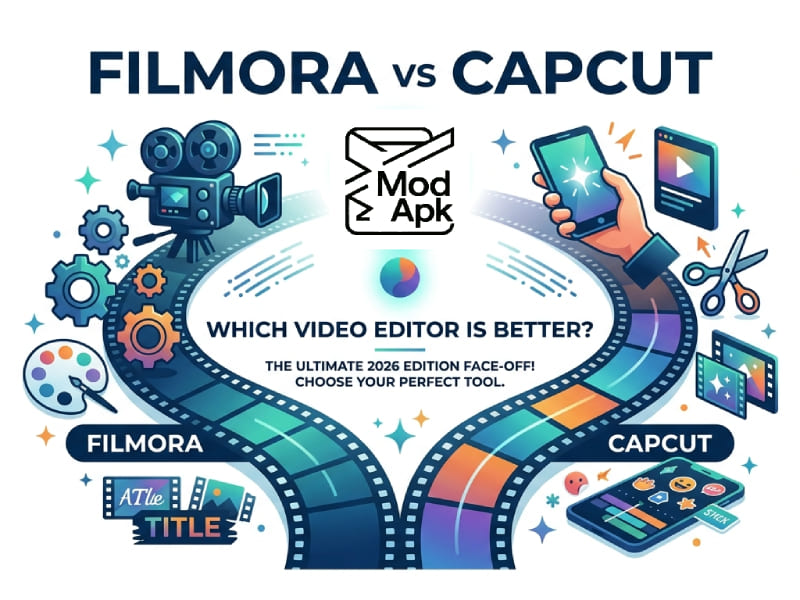
Filmora vs CapCut: Quick Comparison
| Feature | Filmora | CapCut |
| Best for | Beginners and desktop creators | Short videos and social media creators |
| Platforms | Windows, macOS, mobile | Windows, macOS, Android, iOS |
| Interface | Clean desktop layout | Simple and mobile-friendly design |
| Learning curve | Easy for beginners | Very easy to start |
| Effects and templates | Large collection of creative effects | Many trendy templates and effects |
| AI features | AI editing tools and smart features | Strong AI tools for quick content creation |
| Advanced editing | Better timeline control | Good for basic and medium editing |
| Short video creation | Good | Excellent |
| Professional workflow | Better for longer projects | Better for fast content production |
Overview of Filmora
Wondershare Filmora is a video editing software designed for users who want better control over their projects but don’t want to use complex professional software.
Filmora is dedicated to simplifying editing processes while providing a wide range of useful tools. Users can create YouTube videos, tutorials, presentations, travel videos, and other longer content.
Its timeline system is similar to traditional desktop video editors. With Filmora Video Editor, you can add multiple video tracks, adjust audio, apply effects, and control every part of your project in detail.
Main Features of Filmora
1. Easy Timeline Editing
Filmora provides a traditional timeline layout that is easy to understand. Users can:
- Cut and combine clips
- Add transitions
- Adjust video speed
- Edit audio tracks
- Add text and subtitles
- Control multiple layers
For creators who make longer videos, this timeline structure offers more flexibility.
2. Rich Effects and Templates
Filmora includes many built-in resources such as:
- Video effects
- Transitions
- Filters
- Stickers
- Titles
- Music elements
These tools can help beginners create more visually appealing videos without spending a lot of time designing everything from scratch.
3. AI Editing Tools
Filmora has added several AI-based features to improve editing speed. These tools can help users with tasks like:
- Removing unwanted parts
- Creating captions
- Improving audio quality
- Generating content ideas
- Adjusting video elements automatically
These features are useful for creators who want to finish projects faster.
Overview of CapCut
CapCut is a video editor widely used for short videos, social media content, and quick editing.
CapCut is popular because it combines simple editing tools with a wide range of creative features. It allows users to edit videos directly on their phones, which is very convenient for creators who frequently need to work on the go.
In addition to mobile editing features, CapCut also offers a desktop version with even more editing options, making it a strong choice in the CapCut vs Filmora comparison.
Main Features of CapCut
1. Fast and Simple Editing
CapCut is designed for quick editing. Users can easily:
- Trim clips
- Add music
- Apply filters
- Insert text
- Add animations
- Export videos quickly
Its simple design makes it suitable for beginners who don’t want to spend a lot of time learning editing software.
2. Strong Template System
One of CapCut’s most popular features is its template library.
Users can create videos by replacing existing clips with their own footage using templates. This is very useful in the following situations:
- TikTok videos
- Instagram Reels
- YouTube Shorts
- Trend-based content
Creators can follow popular styles without building every effect manually.
3. AI-Powered Features
CapCut includes many AI tools focused on rapid content creation. These features can help users:
- Generate subtitles
- Create effects
- Remove backgrounds
- Improve video quality
- Convert text into videos
For creators who produce frequent short videos, these tools can save a lot of time.
Filmora vs CapCut: Interface Comparison
The interface is one of the biggest differences between Filmora and CapCut.
Filmora Interface
Filmora uses a desktop-style editing workspace. It includes:
- Media library
- Preview window
- Timeline panel
- Editing controls
This layout is more suitable for users who work on large screens and manage large projects.
This interface may feel more complete to YouTube creators, teachers, and video editors who produce longer video content.
CapCut Interface
CapCut features a more streamlined design, especially on mobile devices.
The main tools are clearly displayed, and even beginners can get started editing in minutes. Its workflow prioritizes speed over complex controls.
CapCut’s interface is more convenient for quickly creating social media videos.
Filmora vs CapCut: Editing Features
Both editors provide basic editing tools, but their focus is different.
Filmora Editing Strengths
Filmora is better for:
- Multi-track editing
- Detailed timeline control
- Long videos
- Audio adjustments
- Complex projects
For example, if you’re creating a 15-minute YouTube video with multiple scenes, narration, background music, and effects, comparing CapCut vs Filmora which is best can help you choose a tool, but Filmora still offers a smoother workflow for complex projects.
CapCut Editing Strengths
CapCut works well for:
- Short videos
- Quick transitions
- Trend effects
- Social media content
It is especially useful when you need to create and publish videos quickly.
Filmora vs CapCut: AI Features
Artificial intelligence tools have become an important part of modern video editing.
Filmora AI Tools
Filmora is dedicated to helping users improve their editing workflow. Commonly used AI functions include:
- Smart editing assistance
- Automatic captions
- Audio improvement
- AI-based content tools
These features are very useful for creators who want to gain more control while using AI to speed up repetitive tasks.
CapCut AI Tools
CapCut focuses more on rapid content creation. Its AI features are designed specifically for social media content creation, including:
- Automatic captions
- AI effects
- Background removal
- Text-to-video functions
These tools are helpful for creators who need to produce many short videos.
Filmora vs CapCut: Effects and Templates
Special effects can make videos look more appealing without requiring advanced skills.
Filmora Effects
Filmora offers a wide range of:
- Professional-style transitions
- Video filters
- Motion effects
- Title designs
- Creative elements
These are useful for YouTube videos, presentations, and personal projects.
CapCut Effects
CapCut focuses heavily on current video trends. It provides:
- Popular effects
- Ready-made templates
- Animated stickers
- Social media styles
Creators can quickly follow popular formats.
Filmora vs CapCut: Performance and Device Support
Filmora Performance
Filmora is primarily designed for desktop computers. Because desktop computers typically have more powerful processing capabilities, they are better suited to handle large projects.
CapCut Performance
CapCut runs smoothly on both mobile and desktop devices. Its mobile version is one of its biggest advantages.
Users can record, edit, and publish videos on the same device.
Filmora vs CapCut: Pricing Comparison
Both video editors offer free features and paid options.
Filmora typically uses a software subscription model, allowing users to access additional tools, effects, and resources.
CapCut offers many free editing features, with even more available through paid plans.
Which is better depends on how often you edit your videos and what features you need.
For users who frequently create videos, purchasing additional tools may be more convenient. For users who only use it occasionally, the free features may be sufficient.
Which Video Editor Is Better for You
There is no single winner between Filmora and CapCut. Each editor is designed for different users.
Choose Filmora If You:
- Create YouTube videos
- Edit longer projects
- Need better timeline control
- Want a desktop editing experience
- Prefer more detailed adjustments
Filmora is a good choice for creators who want to grow their editing skills and handle larger projects.
Choose CapCut If You:
- Make TikTok or Shorts videos
- Edit mostly on your phone
- Want quick results
- Like using templates and trends
- Need simple AI tools
CapCut is better for creators who focus on speed and social media content.
Final Verdict: Filmora vs CapCut, Which One Wins
Filmora and CapCut are both powerful video editors, but they serve different purposes.
Filmora is better suited for users who need more control, traditional editing workflows, and tools for handling long videos. It provides a more robust environment for sophisticated projects.
CapCut is better suited for users who prioritize fast editing, portability, and easy access to popular video styles. It is especially suitable for short video content creators.
If your goal is to create professional YouTube videos, tutorials, or longer projects, filmora video editor vs capcut may help you decide which tool fits your needs. Filmora is better for advanced editing, while CapCut is ideal for TikTok, Instagram Reels, and quick social media content.
The best video editor is one that fits your workflow and helps you create content more efficiently.